
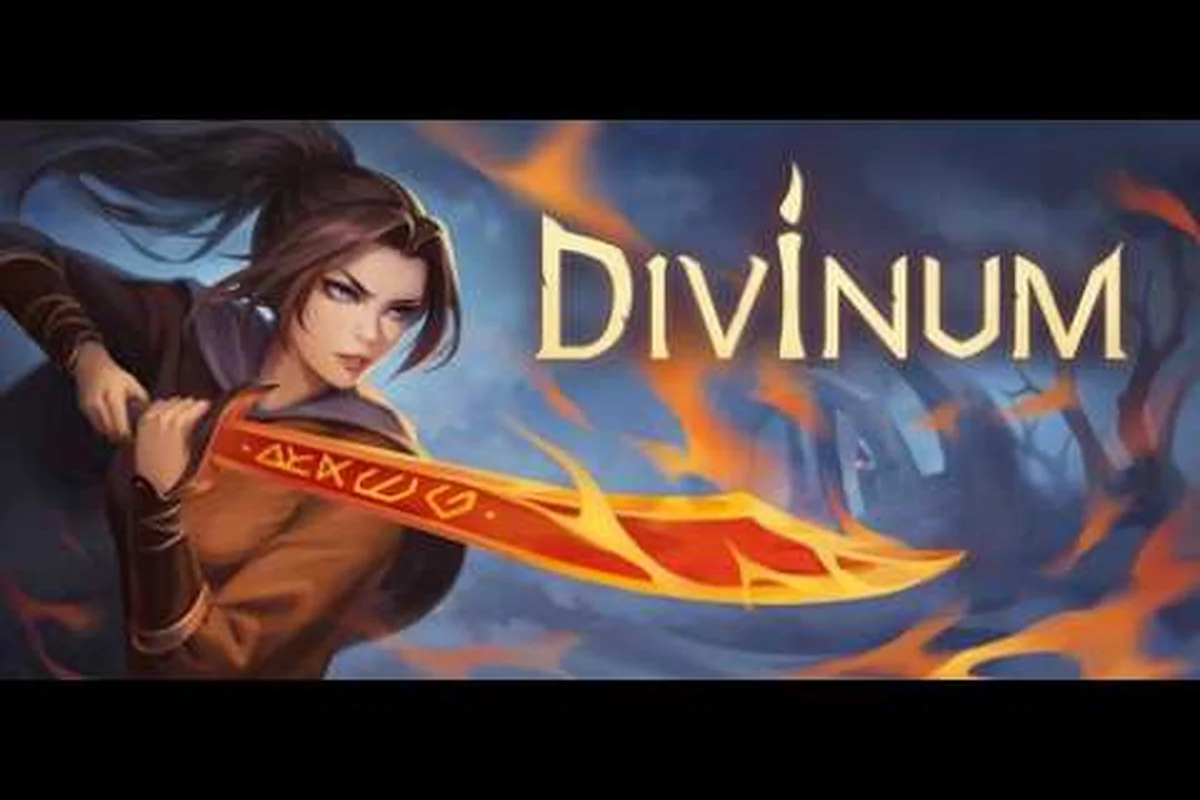
The 2D action-adventure scene has been crowded lately, but Divinum stands apart by blending stylish combo-driven combat with a dark fantasy island mystery. This Divinum review breaks down whether Sigil Games' solo-developed Metroidvania actually delivers on its August 28, 2026 launch promise, covering difficulty spikes, PC performance, and the systems that make or break the experience. If you are weighing a day-one purchase, the answer depends on how much you value expressive combat over hand-holding exploration.
The game launches for Windows and Mac with full controller support, and the demo already attracted 422 feedback responses during playtesting, which suggests the developer is listening closely to community input. What matters most is whether the final build justifies the hype, so let's dig into the mechanics, the challenge curve, and the technical state before you commit your money. If you’re weighing whether the final build delivers on its promises, our Divinum Complete Guide breaks down every mechanic and progression milestone in detail, giving you the full picture before you decide to spend.
Combat Depth and the Divinum Difficulty Curve
Divinum Difficulty Curve: The Demo 0.39.1 Prologue Spike
The August 2026 Steam News update confirms the demo's jump to version 0.39.1 introduced an extended story prologue that directly impacts the Divinum difficulty curve. This new opening segment front-loads enemy aggression, forcing players to master the Warden's movement toolkit before acquiring combat upgrades. The playtest feedback loop—422 feedback forms collected—directly shaped this prologue's tuning, making it noticeably harder than the original 2025-11-29 demo build. Crucially, saves from previous versions may work, but Sigil Games recommends a fresh save for the prologue to avoid progression-breaking conflicts with the new narrative triggers.
HP Management Essentials: Surviving the Invader Onslaught
Effective HP management in Divinum hinges on understanding the invader attack patterns that target the village. The demo's 0.39.1 update improved combat flow, but the extended prologue introduces multi-enemy encounters that drain HP rapidly. Prioritize dodging over blocking, as the Warden's mobility is the primary defensive tool. The Steam community's enemy aggression feedback has led to tuning adjustments, meaning players should expect aggressive pursuit. Crafting builds that include HP-regenerating Sanctite-based abilities is essential for sustained exploration, especially when backtracking through the island's hidden areas. A single mistake against a group can cost 30-40% of your health bar, making proactive positioning critical.
The combat system in Divinum is the heart of the experience, and it is also the source of most of the frustration for newcomers. You play as Fjør, a young warrior bound to the Fate of the Guardian, and your moveset combines light attacks, heavy strikes, and a dodge that carries real weight. The Sanctite resource fuels your special abilities, and managing it during extended fights becomes the core loop that separates average players from skilled ones.
The difficulty question gets asked constantly, and the honest answer is that Divinum is hard in a specific way. Enemy aggression is high, and the demo's community discussions frequently mention how invaders do not wait their turn. You will need to learn attack patterns rather than button-mash, because the Warden stance system rewards precise timing with bonus damage windows.
| Difficulty Aspect | Early Game | Mid Game | Late Game |
|---|---|---|---|
| Enemy aggression | Moderate | High | Very High |
| Sanctite management | Forgiving | Punishing | Critical |
| Dodge timing windows | Generous | Tight | Frame-perfect |
| Healing opportunities | Frequent | Limited | Scarce |
The curve ramps steadily rather than spiking unfairly, but players who skip the demo will feel the jump. Community reports suggest that the Fjor combo chains require deliberate input sequencing, and mistiming a dodge against the heavier invaders often costs half your health bar. The good news is that checkpoints are generous, so deaths never feel like wasted progress.
What makes the combat genuinely rewarding is the Rune crafting system, which lets you modify your weapon's behavior. You can slot runes that add elemental damage, extend combo windows, or convert Sanctite into health on kill. This creates meaningful build variety, and experimenting with different combinations is where the game's depth truly shines.
Divinum PC Controls and Keyboard Optimization
Keyboard-Only Optimization: Rebinding for the Warden's Combo Flow
Divinum's Steam page explicitly lists a keyboard-only option, but the default bindings can bottleneck the Warden's expressive combat. To optimize, rebind the dash and dodge to adjacent keys (e.g., Shift to Space) to maintain finger proximity for chaining devastating combos. The game's full controller support includes DualShock and DualSense, yet the keyboard layout benefits from mapping Sanctite-consuming abilities to a single macro key for rapid build-crafting. Community discussions on Steam highlight SFX impact feedback, suggesting that audio cues are critical for timing keyboard inputs—adjusting keybinds to match visual and audio feedback improves combo reliability.
Exploration Rewards: The New Weapon Trailer Reveal
The release date trailer unveiled a brand-new weapon, expanding the exploration reward pool beyond the demo's initial arsenal. This weapon is likely tied to the island's hidden truth, encouraging thorough exploration of the Metroidvania map. The demo's 0.39.1 update improved animations and movement, suggesting that traversal-based secrets are more accessible. Players who complete the extended prologue will find this weapon's location hinted at through environmental storytelling. The r/metroidvania community's interest in the resurrection story indicates that this weapon may have lore implications, rewarding players who investigate the invaders' origin rather than rushing the main path.
Since this is a PC-first release, the control scheme deserves close attention. The developers built the game with keyboard-only play in mind, which is rare for the genre, and the default layout is surprisingly functional. Movement sits on WASD, attacks on J/K/L, and the dodge on Space, but you can remap everything through the settings menu.
The Divinum PC controls feel responsive on keyboard, although the game clearly shines with a controller. Steam page details confirm DualShock and DualSense support, and the analog stick gives you finer control over directional attacks. That said, the keyboard layout avoids the common Metroidvania pitfall of cramming too many actions onto awkward keys.
| Control Action | Keyboard Default | Controller Mapping |
|---|---|---|
| Light Attack | J | Square / X |
| Heavy Attack | K | Triangle / Y |
| Dodge | Space | Circle / B |
| Sanctite Ability | L | R1 / RB |
| Interact | E | Cross / A |
The settings menu includes options for adjusting input buffer, which is a lifesaver for players who struggle with the game's timing demands. Lowering the buffer makes inputs feel more immediate, while raising it helps if you find yourself dropping combos. If you are coming from other action games, spend ten minutes in the training area before the first real fight.
One criticism from the community is the lack of ultrawide support at launch, which appears in the Steam discussion threads alongside requests for pixel scaling options. The pixel art looks crisp at standard resolutions, but players with 21:9 monitors will see pillarboxing until a patch arrives. This is not a dealbreaker, but it is worth knowing before you buy.
HP Management and the Divinum HP Guide Essentials
Survival in Divinum hinges on understanding how health works, because the game does not hold your hand. Your HP pool starts modest, and the Fjor vitality stat determines how much damage you can absorb before collapsing. Upgrading vitality at the shrine points is essential, but you also need to learn when to heal versus when to push through a fight.
The Divinum HP guide essentials start with the healing flask system. You carry a limited number of charges, and they refill only at checkpoints. This creates tension because you cannot simply out-heal enemy damage, and the Sanctite conversion rune becomes a viable alternative for sustain-focused builds.
| HP Source | Recovery Amount | Cooldown / Cost |
|---|---|---|
| Healing Flask | 30% of max HP | Refills at checkpoints |
| Sanctite Conversion Rune | 15% per kill | 20 Sanctite per proc |
| Shrine Rest | 100% | Requires travel |
| Food Items | 10-25% | Consumable, rare |
The key trick is learning which fights allow you to conserve flasks. Trash mobs should be handled without healing if possible, while boss encounters demand full resources. Community testing suggests that the Warden boss fights each have a specific rhythm, and burning a flask early in a boss fight is usually a mistake because the later phases hit harder.
Another essential mechanic is the overheal system, which lets you exceed your maximum HP temporarily when you pick up certain relics. This is situational, but it can save you from one-shot attacks during the late-game invasion sequences. Pay attention to which relics you carry, because the overheal bonus only triggers under specific conditions.
Divinum Tricks for Exploration and Progression
Exploration rewards patience, and the island hides plenty of secrets for players who poke around. The map reveals only partial information, so you will need to backtrack once you unlock new movement abilities. This is classic Metroidvania design, but Divinum adds a twist with its resonance points that unlock fast travel between major regions.
The best Divinum tricks involve mastering the movement system before you tackle the harder zones. The dash has a brief invincibility window that many players overlook, and chaining it into an attack cancel lets you reposition aggressively during fights. Practice this in the early areas because the timing transfers directly to boss encounters.
-
Explore every vertical shaft — hidden rooms often contain upgrade materials
-
Talk to NPCs twice — some give hints about secret walls
-
Save your Sanctite for exploration — some barriers require ability activation
-
Check the map for dead ends — these often hide breakable walls
-
Experiment with rune combos — certain pairs unlock hidden interactions
The progression system ties directly to the Warden ranks, which unlock as you defeat major bosses. Each rank grants a passive bonus, and the order you tackle optional bosses changes your early-game power curve. Players who rush the critical path will find the difficulty steeper than those who explore and grab the optional upgrades.
One trick that veteran players recommend is focusing on the vitality and endurance stats before damage upgrades. Surviving longer lets you learn boss patterns without restarting, and the damage increase from a single stat point is modest compared to the survivability gain. This is counterintuitive for action game veterans, but it pays off in the long run.
Performance, Visuals, and Technical State at Launch
The technical state of Divinum at launch is solid, based on the demo performance and pre-release reports. The game targets 60 FPS on mid-range hardware, and the pixel art style scales well across different resolutions. The Steam store page lists modest system requirements, and the game runs on both Windows and Mac without major issues.
| Graphics Setting | Low | Medium | High |
|---|---|---|---|
| Resolution Scale | 720p | 1080p | 1440p |
| Shadow Quality | Off | Medium | High |
| Particle Effects | Reduced | Standard | Full |
| V-Sync | Optional | Optional | Optional |
The art direction deserves praise because the dark fantasy island feels alive despite the pixel aesthetic. Lighting effects create moody atmospheres, and the enemy designs are distinct enough that you can read their attack tells at a glance. The soundtrack complements the action without overwhelming it, which is a balance many indie games miss.
Loading times are brief, and the game handles area transitions without stutter on an SSD. The demo's feedback forms collected 422 responses, and the developer updated the build to 0.39.1 with improvements to animations and combat flow. This suggests the final release benefits from direct community input, which is a good sign for post-launch support.
The main technical concern is the missing ultrawide support, which appears in the community discussions alongside requests for additional language options. The game ships with seven languages including English, Russian, Simplified Chinese, Japanese, Spanish, Brazilian Portuguese, and Korean, which is a solid lineup for a solo-developed title.
Divinum Review Verdict and Final Recommendations
So is Divinum worth buying on PC in 2026? The answer is a qualified yes, especially if you enjoy challenging action games with deep combat systems. The difficulty curve is demanding but fair, the rune crafting offers meaningful build variety, and the exploration rewards curiosity. The game does not hold your hand, which will frustrate some players but delight those who appreciate the classic Metroidvania ethos.
The strongest comparison is to games like Hollow Knight and Dead Cells, where mastery comes from repetition and understanding the systems. Divinum does not reinvent the genre, but it executes the core loop exceptionally well. The Fjor character is memorable, and the story about fighting mysterious invaders who attacked your village unfolds through environmental storytelling rather than lengthy cutscenes.
If you are still on the fence, the free demo on Steam is the perfect way to test the waters before committing. The demo includes a substantial slice of the early game, and your save can carry over to the full release. This is a risk-free way to see if the combat clicks with you, and the community feedback system means the developer is actively refining the experience.
What are your thoughts on the difficulty level after reading this Divinum review? Share your experience in the comments below, and let us know if the combat system feels like your kind of challenge.
Frequently Asked Questions
Is Divinum hard for new players?
Yes, Divinum presents a steep learning curve because enemy aggression is high and healing resources are limited. New players should expect to die frequently while learning attack patterns. The generous checkpoint system softens the frustration, and the demo offers a safe space to practice before the full release.
What are the best Divinum tricks for beginners?
Focus on upgrading vitality early, master the dodge invincibility frames, and explore every area thoroughly. Save healing flasks for boss fights and experiment with rune combinations to find a build that suits your playstyle. The training area is worth revisiting after unlocking new abilities.
Does Divinum support keyboard and controller on PC?
The game supports both input methods fully. Keyboard controls are well-designed with a sensible default layout, while controller support includes DualShock and DualSense options. You can remap every action in the settings menu, and the input buffer adjustment helps players fine-tune responsiveness.
How does the HP system work in Divinum?
Your HP pool is determined by the vitality stat, and healing flasks restore 30 percent of your maximum health. Flasks refill only at checkpoints, so resource management is critical. The Sanctite conversion rune offers an alternative sustain option by restoring health on kills.
Is the 2026 release worth buying on Steam?
For fans of challenging Metroidvania games, yes. The combat is deep, the exploration is rewarding, and the technical state is solid at launch. The free demo lets you test the experience before purchasing, and the developer's responsiveness to community feedback suggests strong post-launch support.